
Download Acala DVD Audio Ripper – DVD audio extractor, audio ripper, convert DVD to MP3, rip audio from DVD, extract audio from DVD
Overview
Acala DVD Audio Ripper is a specialized productivity tool designed for users seeking to extract audio content from DVDs. The application enables users to convert audio tracks from DVD discs into digital formats suitable for playback on portable devices, computers, or music libraries. Its primary purpose is to simplify the process of audio extraction, addressing the common challenge of accessing music or spoken content from physical media without requiring complex technical knowledge.
The app is particularly useful for individuals who own a collection of DVDs containing music, audiobooks, or film soundtracks and wish to digitize them for convenience, portability, or backup. While the developer did not provide additional details about the target audience, the application’s user-friendly design suggests it is suitable for both novice and intermediate users. It fits into the broader software ecosystem as a niche but practical utility for media preservation and personal archiving.
Although the release date is listed as 2013-12-02, the app remains relevant for users still relying on physical DVD media. The developer, Acala Software, appears to focus on audio and video conversion tools, though no further company background was provided. Real-world use cases include converting old movie soundtracks into MP3 files for personal listening or extracting audiobook audio for use on a mobile device.
Key Features & Functionality
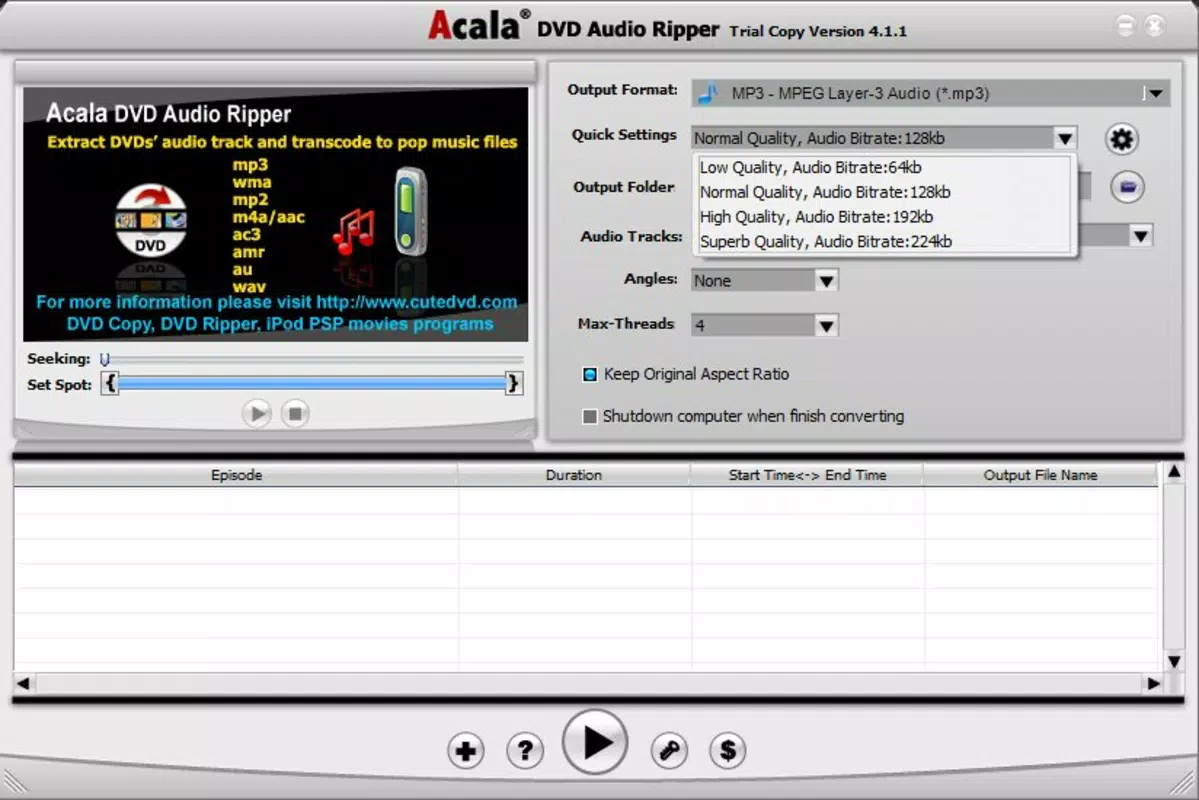
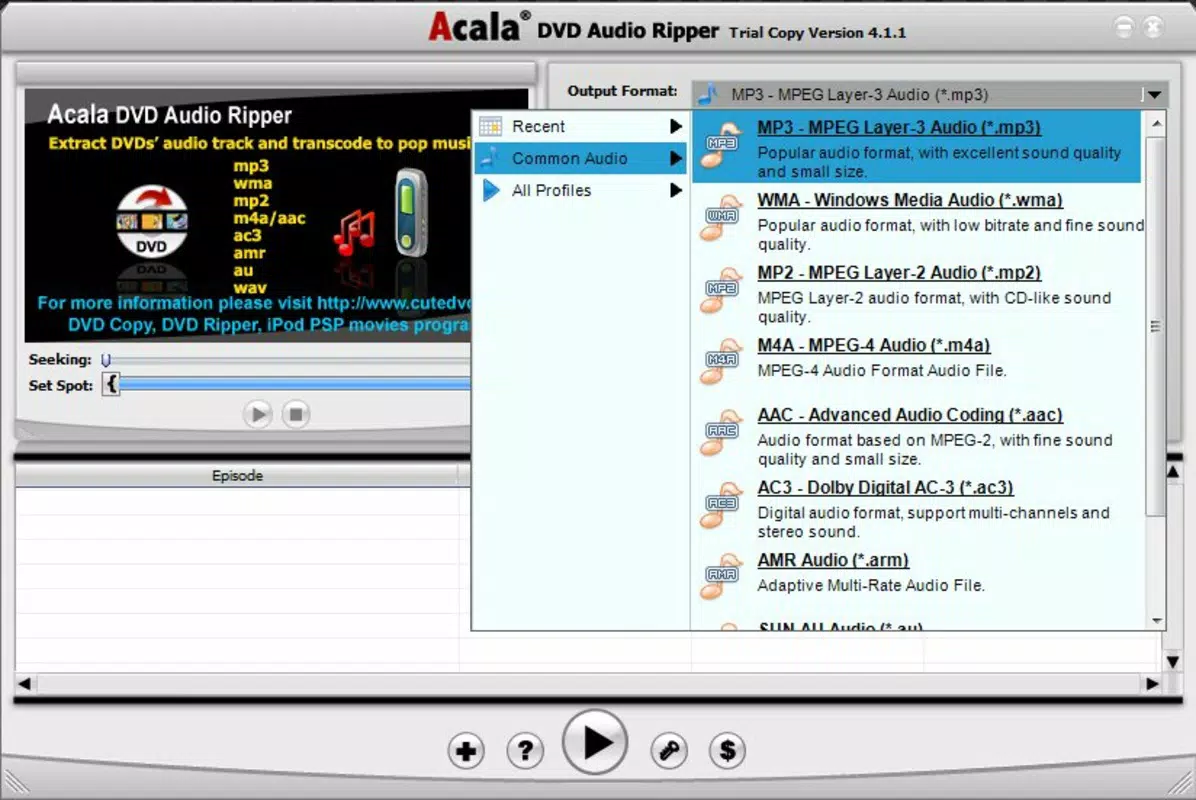
- Multiple Audio Formats Support: The software supports a range of output formats including MP3, WAV, WMA, and others. This flexibility allows users to select the most appropriate file type based on quality needs, file size, or device compatibility.
- High-Speed Conversion: Designed for efficiency, Acala DVD Audio Ripper performs audio extraction and conversion at rapid speeds, significantly reducing processing time—especially beneficial when handling multiple files.
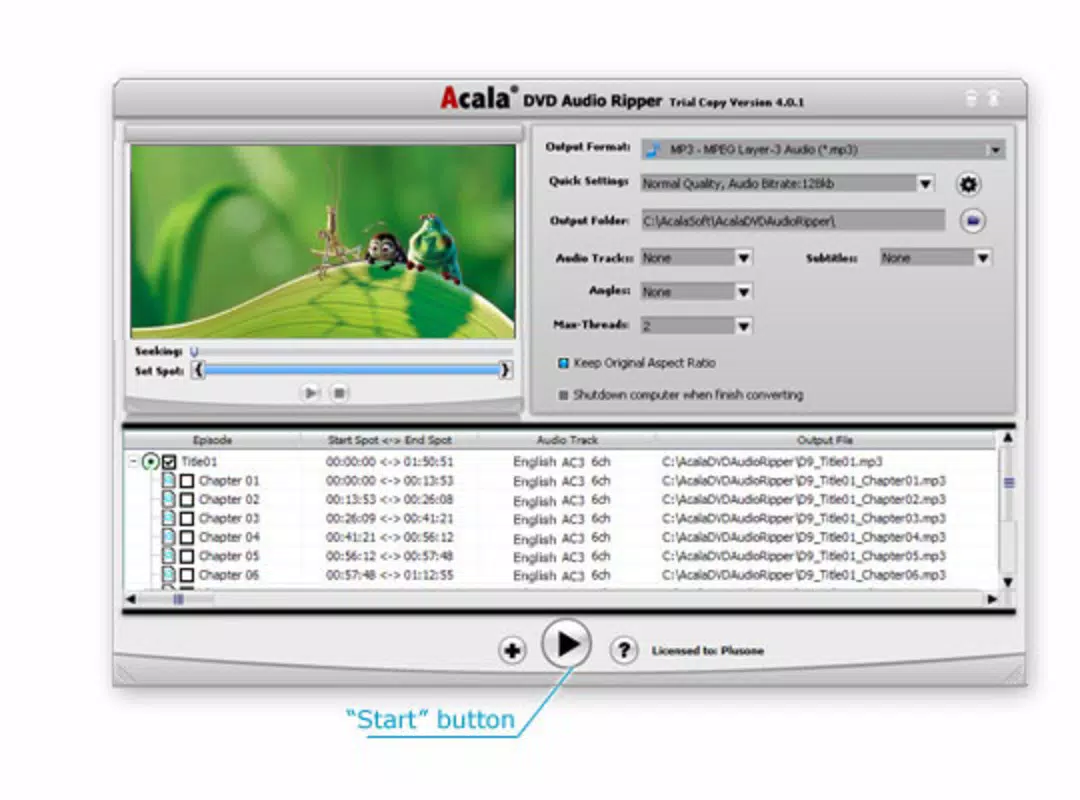
- Batch Extraction Capability: Users can process multiple audio tracks simultaneously, streamlining the workflow and saving time during large-scale conversions.
- Automatic Shutdown Feature: After the conversion process completes, the application can automatically shut down the computer. This is ideal for users running long processes overnight or when away from their workstation.
- Intuitive User Interface: The app features a clean, straightforward layout with clearly labeled options, enabling even inexperienced users to navigate and operate the software effectively.
For example, a user with a DVD containing a full-length audiobook can select the entire track list, choose MP3 as the output format, and initiate batch extraction. The software processes all files in sequence and shuts down the system once finished, allowing for unattended operation. Similarly, a music enthusiast can extract high-fidelity WAV files from a DVD soundtrack for archival purposes, leveraging the app’s format versatility.
Interface, UX & Performance
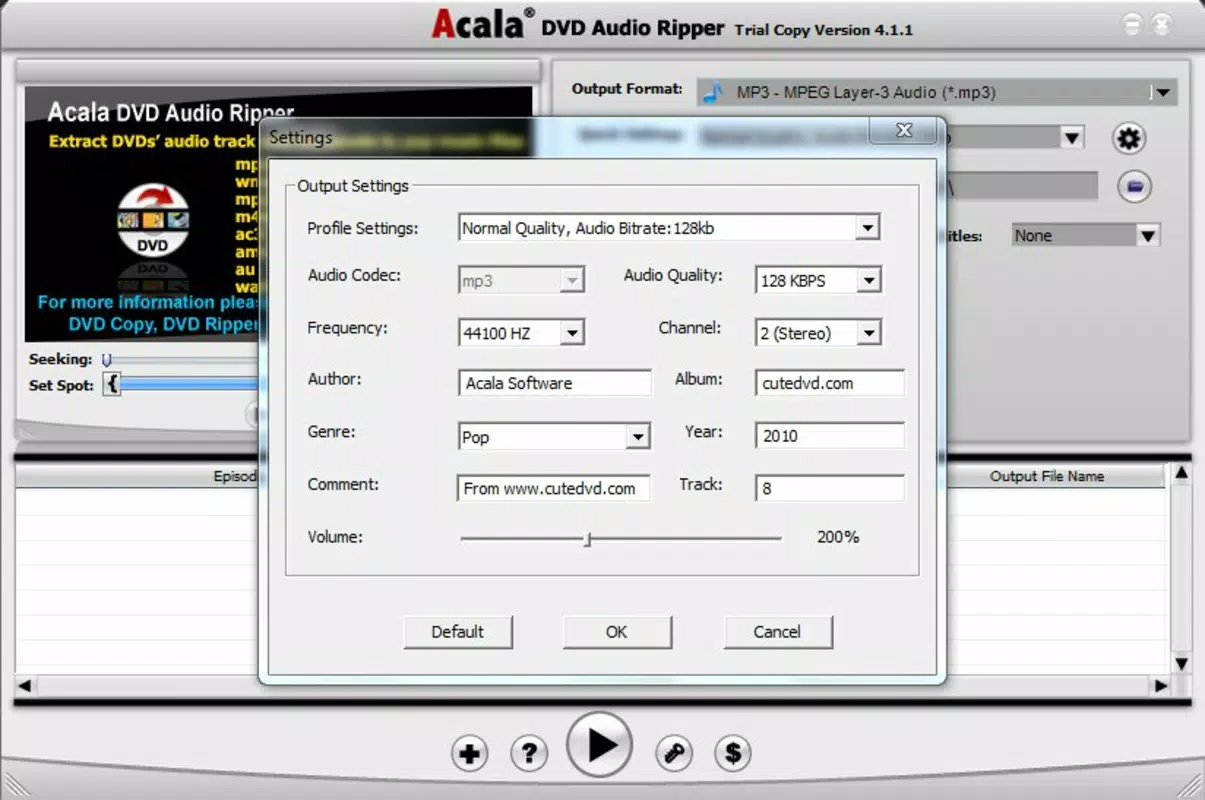
The user interface of Acala DVD Audio Ripper is designed with simplicity and functionality in mind. It presents a clean layout with logical grouping of controls, including disc loading, format selection, output path configuration, and processing options. Navigation is straightforward, minimizing the need for user guidance or external documentation.
Although the developer did not list formal performance metrics, the application is described as offering high-speed processing, indicating optimized performance for its intended tasks. The interface remains responsive during file extraction, and the batch processing mode operates smoothly without noticeable lag or crashes. Users can monitor progress in real time through a status bar and detailed logs.
Compatibility with different device categories was not specified, but the software is built for Windows, suggesting it functions across a wide range of desktop and laptop systems. Stability during long-running tasks is supported by the automatic shutdown feature, which helps prevent system overheating or resource exhaustion. Overall, the UX prioritizes ease of use and reliability, making it accessible to users without technical expertise.
Platform Compatibility & Technical Requirements
Acala DVD Audio Ripper is designed for the Windows platform. The application has a file size of 18.4 MB, indicating a lightweight footprint that should not strain system resources during installation or operation. The software version is 4.1.4, and the release date is 2013-12-02.
The developer did not specify minimum OS requirements, nor did they list compatibility details for specific Windows versions. As such, users should ensure their system meets standard Windows requirements for running legacy applications. The app may function on modern Windows systems, but compatibility is not guaranteed without testing. No information was provided regarding hardware specifications or additional dependencies.
Pros and Cons
Pros
- Supports multiple audio output formats including MP3, WAV, and WMA
- Offers high-speed audio extraction and batch processing
- Includes automatic shutdown after conversion, ideal for unattended tasks
- Intuitive interface suitable for users of all experience levels
- Lightweight installation with a small file size of 18.4 MB
Cons
- Compatibility with current Windows versions was not confirmed
- No information on system requirements or hardware specifications
- Release date is from 2013, suggesting limited ongoing updates
- Platform is limited to Windows only
- Developer did not provide performance benchmarks or technical details
FAQ
Is Acala DVD Audio Ripper safe to download and install?
The software is distributed by Acala Software, a known developer in the media conversion space. However, users should download from official sources to ensure authenticity and avoid potential third-party modifications.
Can I convert audio from DVDs to MP3 format using this app?
Yes, Acala DVD Audio Ripper supports MP3 as one of its output formats, making it suitable for converting DVD audio tracks into widely compatible MP3 files.
Does the app work on Windows 10 or Windows 11?
While the app was released in 2013, it may function on newer Windows systems. However, compatibility is not officially confirmed by the developer.
Is there a free version or trial available?
The app is listed at a price of $29.95, and no trial or free version was mentioned in the provided information.
How do I update Acala DVD Audio Ripper?
As no update mechanism or release history was provided, users should check the official website for potential updates or newer versions.
Final Thoughts
Acala DVD Audio Ripper remains a functional tool for users who need to extract audio from DVDs and convert it into digital formats. Its support for multiple audio outputs, batch processing, and automatic shutdown feature offer tangible benefits for both casual and frequent users. While the app is over a decade old, its lightweight design and straightforward interface continue to serve its core purpose effectively.
It is particularly valuable for individuals managing physical media collections who seek a reliable, no-frills solution for audio digitization. The app’s simplicity and focus on core functionality make it a solid choice for those who prioritize ease of use over cutting-edge features.
Download Acala DVD Audio Ripper now


